My Team
Alex, Aliyah, Abi, Marc, Prab
My Role
UI Designer UX Designer
Project Timeline
January 2024 - April 2024
Open Door Recruit
Overview/ TL: DR
Our team built a service called Open Door, that helps alleviate discrimination for those searching for a job. For people on the job hunt, Open Door feels like a familiar and easy to use service, while for recruiters and companies we offer a seamless and easy to use experience that provides you with all the details you need to know if the candidate is qualified for the role and not demographics.
The Problem & Our Objective
As the job market expands, an unfortunate trend arises, reports of biased/stereotype hiring processes from various companies persist. These practices should not exist and we aim to address this issue with our app. Open Door is designed to tackle employment biases, and offer an inclusive/accessible user experience and interface.
Our platform addresses systemic biases and inequalities in recruitment by implementing blind recruitment features. Through these initiative features, we are prioritizing skills and experience over demographic factors. This promotes equitable opportunities for all candidates in design fields and contributes to building inclusive workplaces that reflect diverse perspectives/talents.
While developing Open Door Recruit, we aim to acknowledge and mitigate any biases that could influence design choices. Our goal is creating an app that is accessible and usable by the widest range of users while still prioritizing those often excluded/marginalized in society.
Process & Design
When we started designing the app wanting it to be familiar to other places you can apply for jobs, it’s important that you can just plug in your information and start looking and not feeling like you need to learn a whole new process.
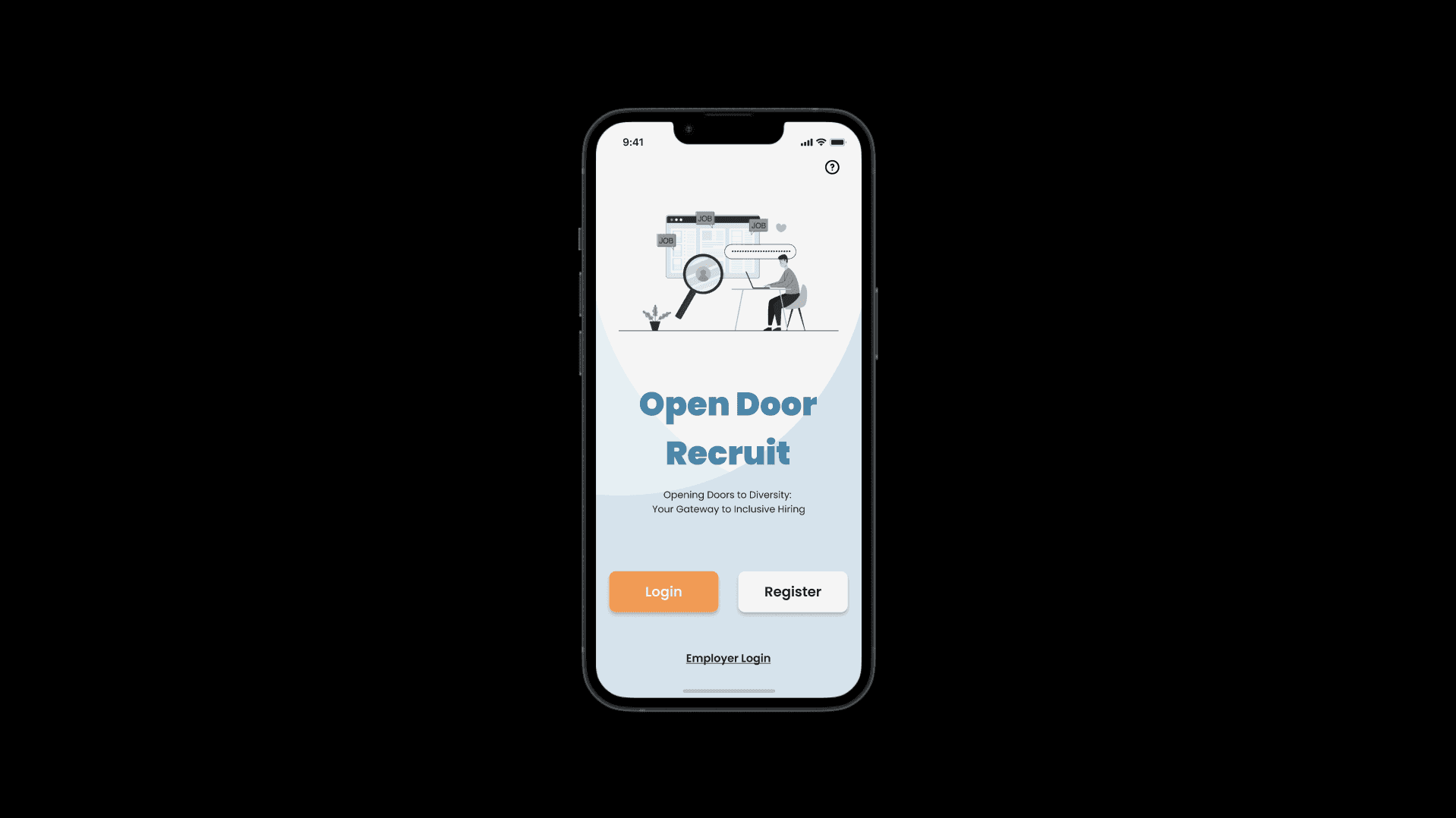
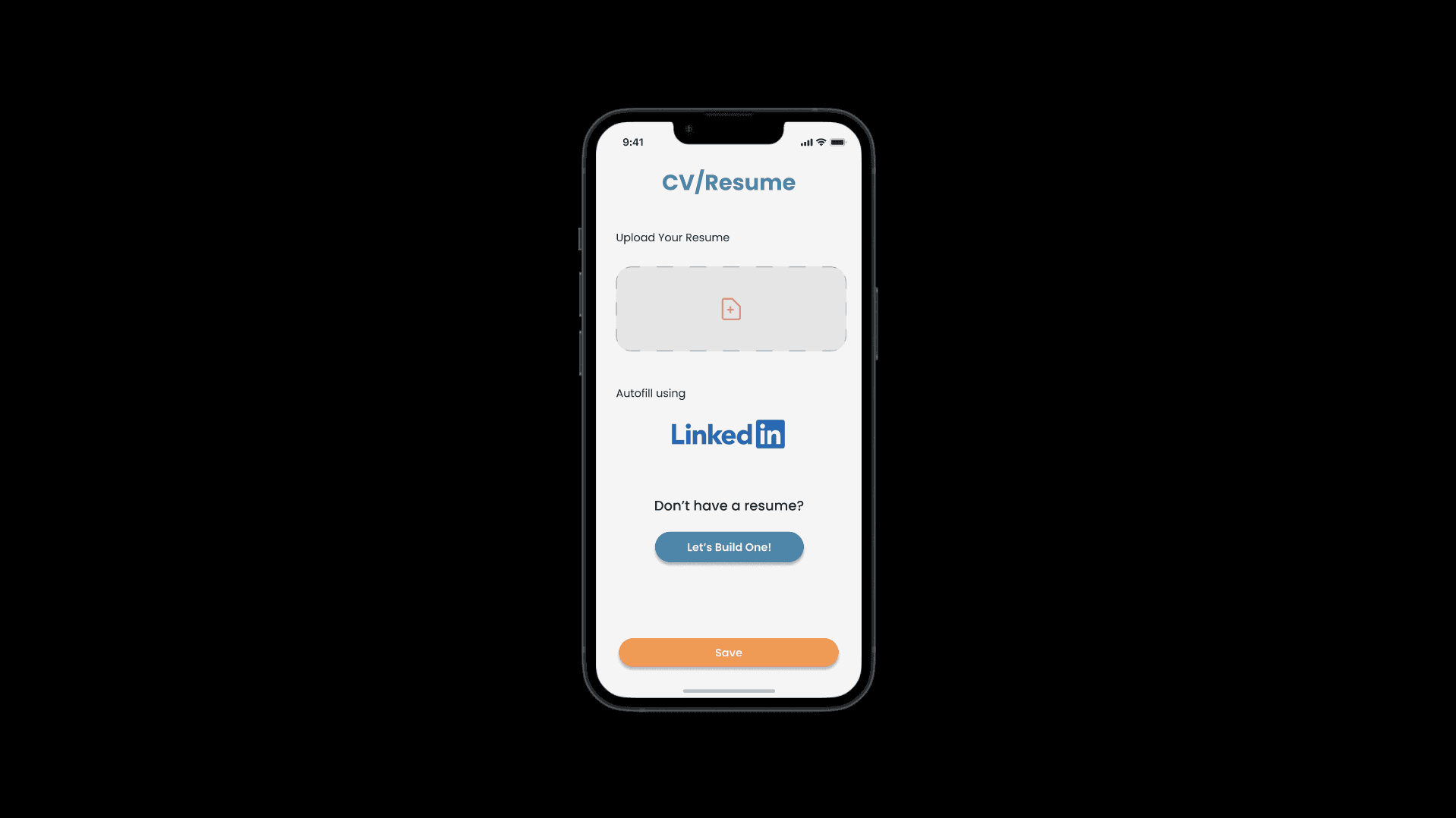
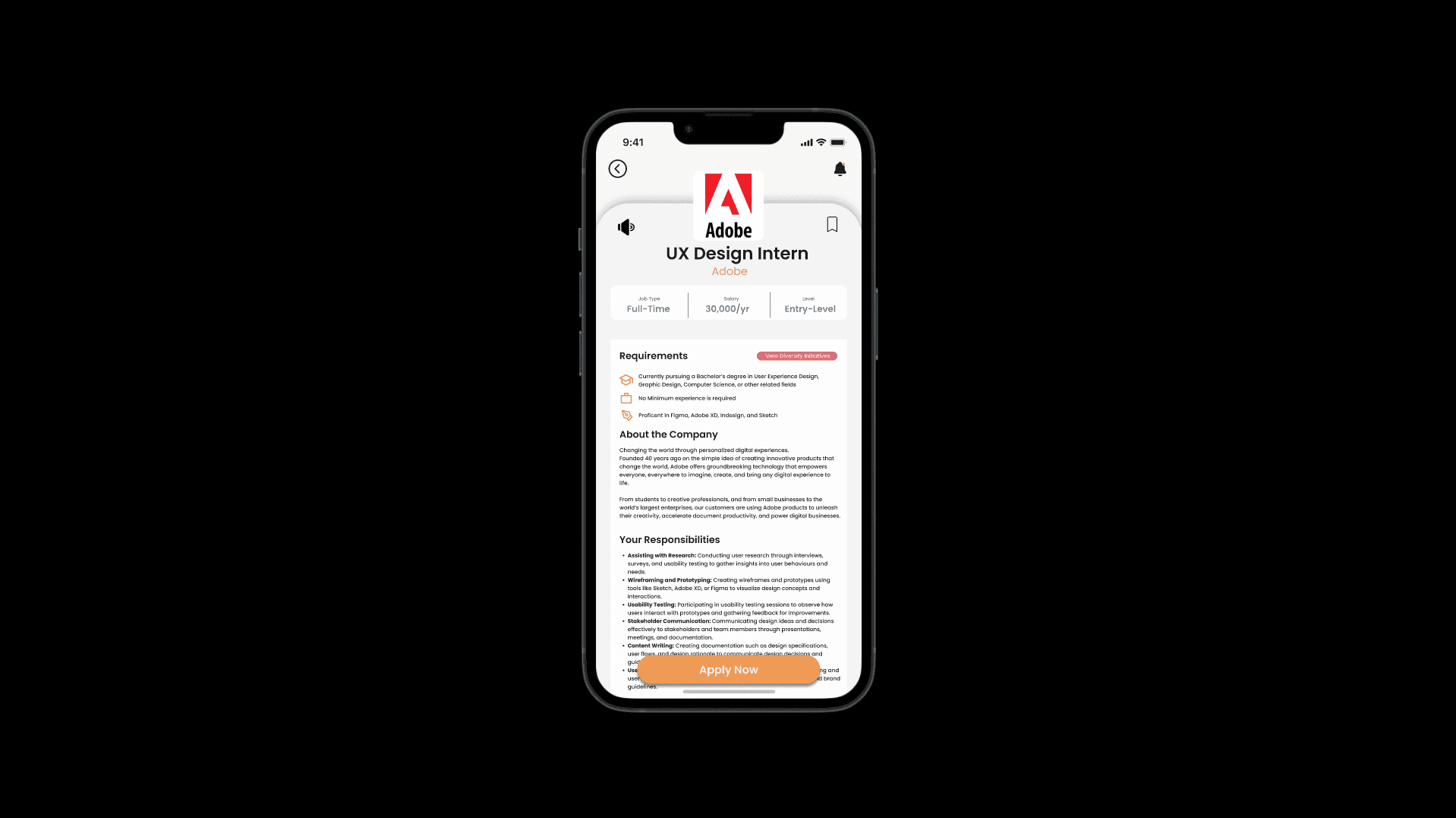
When we started the project, especially for the type of app we are designing, one of the first things I think of that sets the tone is on-boarding. We need to show the users as early into the experience as possible what our goal is for both users and employers. The first impression is the most important impression in a service. All employers have the option when creating an account on the application to set their status as Disability confident. This allows those with disabilities searching for jobs to find companies that are willing to support them and offer personalized tools to make a positive experience. Adding this feature attempts to halt bias within the hiring process to make the already stressful process smoother for our users. When users are adding files to their profiles such as resumes and cover letters, on our applications we have added auto-fill. This feature takes information from another location, for example, LinkedIn.
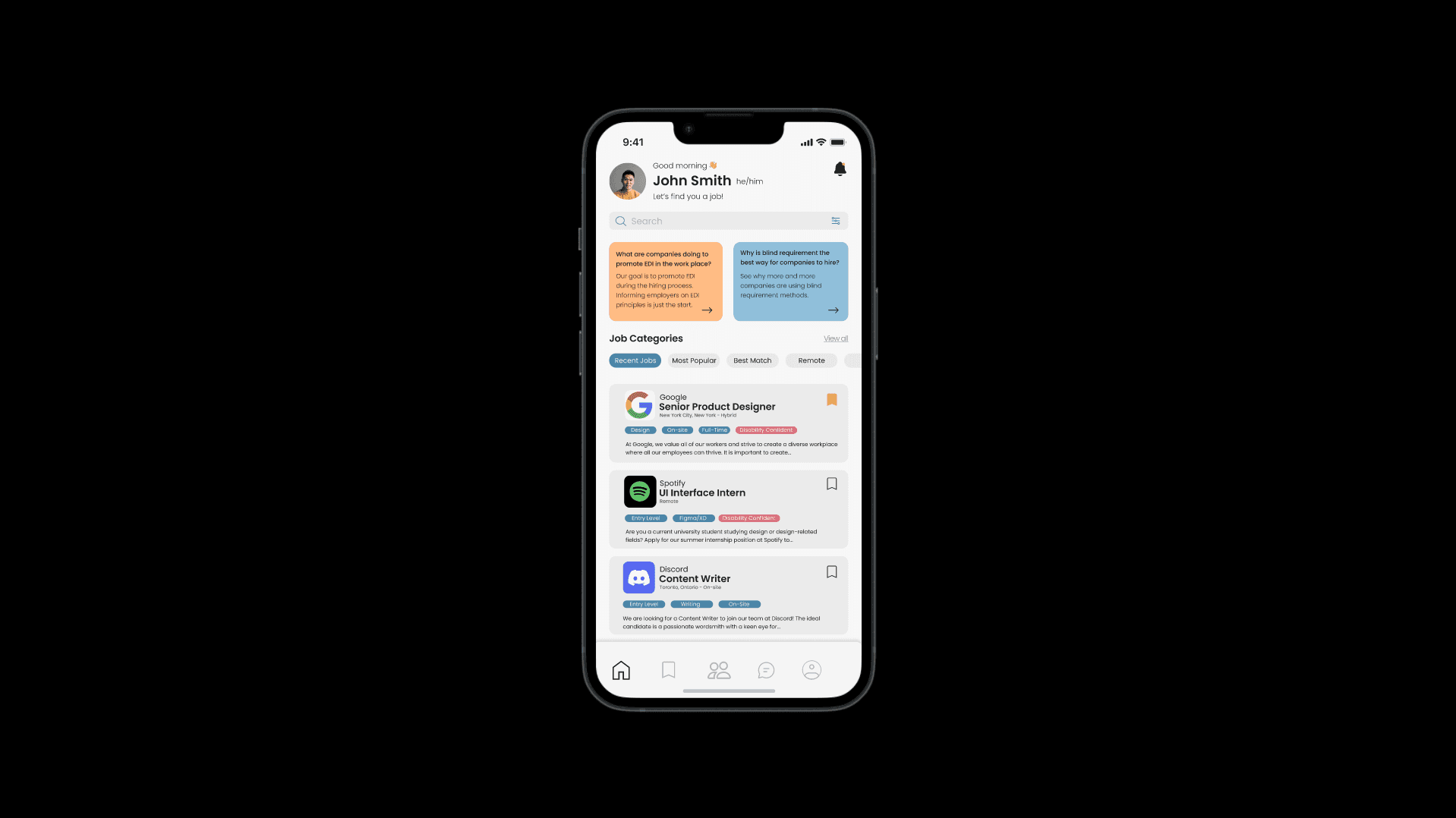
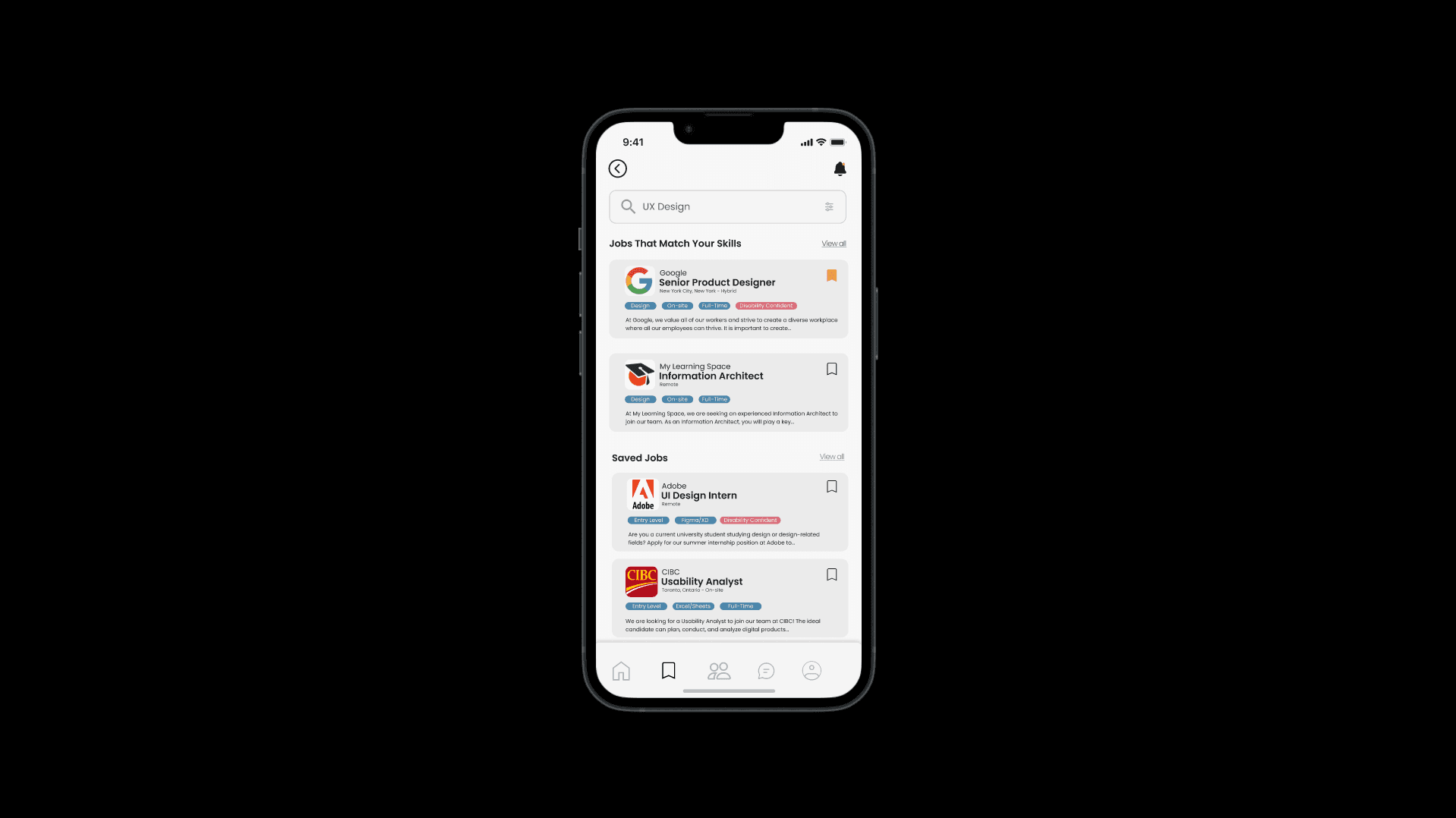
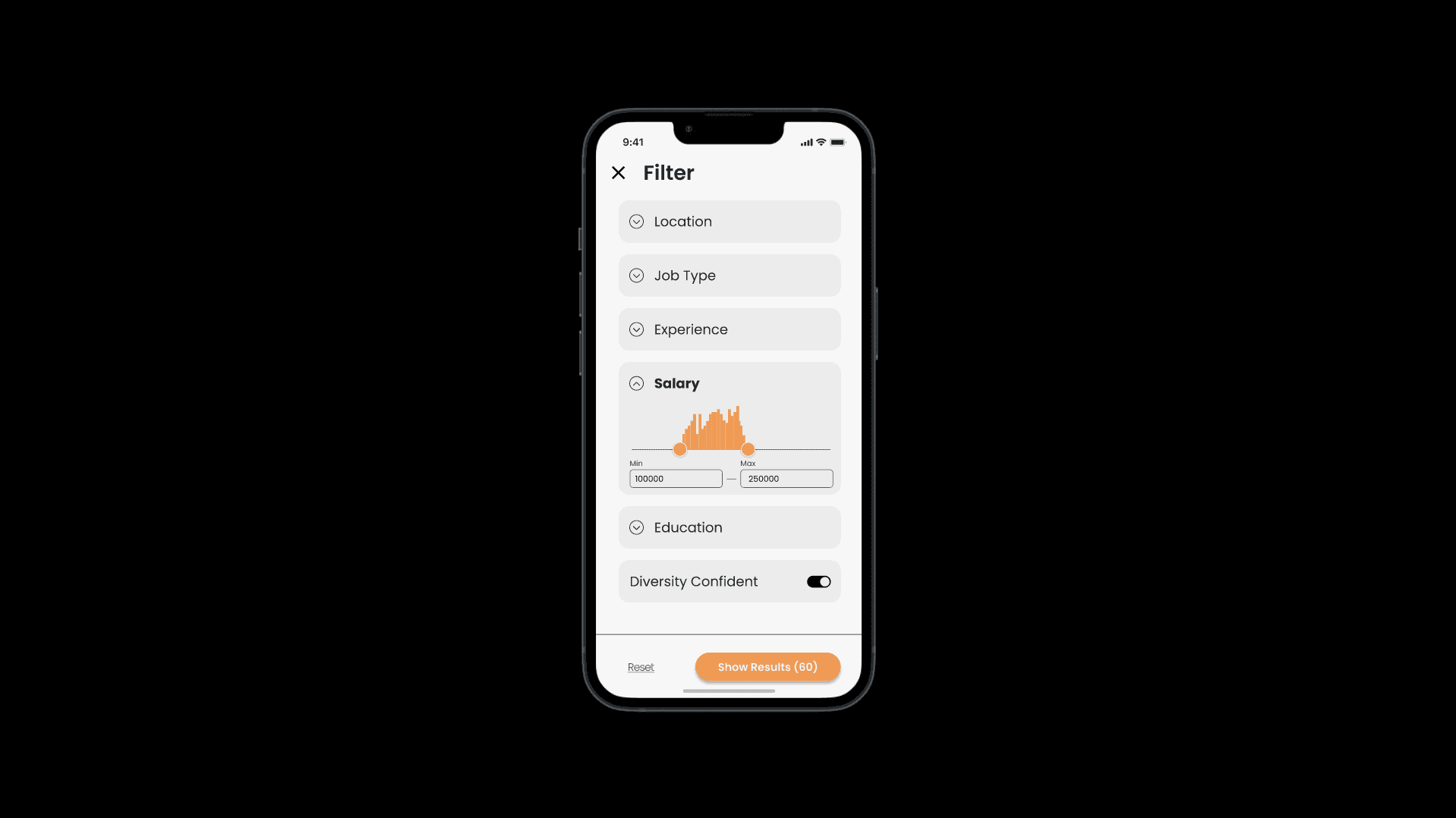
Navigation is one of the most important aspects of a mobile application as it is the central tool to help you find information that allows you to complete your current tasks. Having clear navigation allows for the flow of information to be concise, creating a better user experience. Our mobile application achieves this by creating and using universally recognized icons to symbolize their function and purpose to users, as well as filters to create better job-searching experiences. Open Door has original ideas that are accessible to all and promote inclusivity. The application uses features like the ‘Trending Topics’ section to promote EDI trends and allows users to learn what companies are doing to promote EDI in their workplace. Having this feature in an application designed for finding jobs allows companies to be rewarded for their great EDI practices. It navigates other people who are interested and well-versed in EDI to find these companies to potentially bring their skills to like-minded teams.
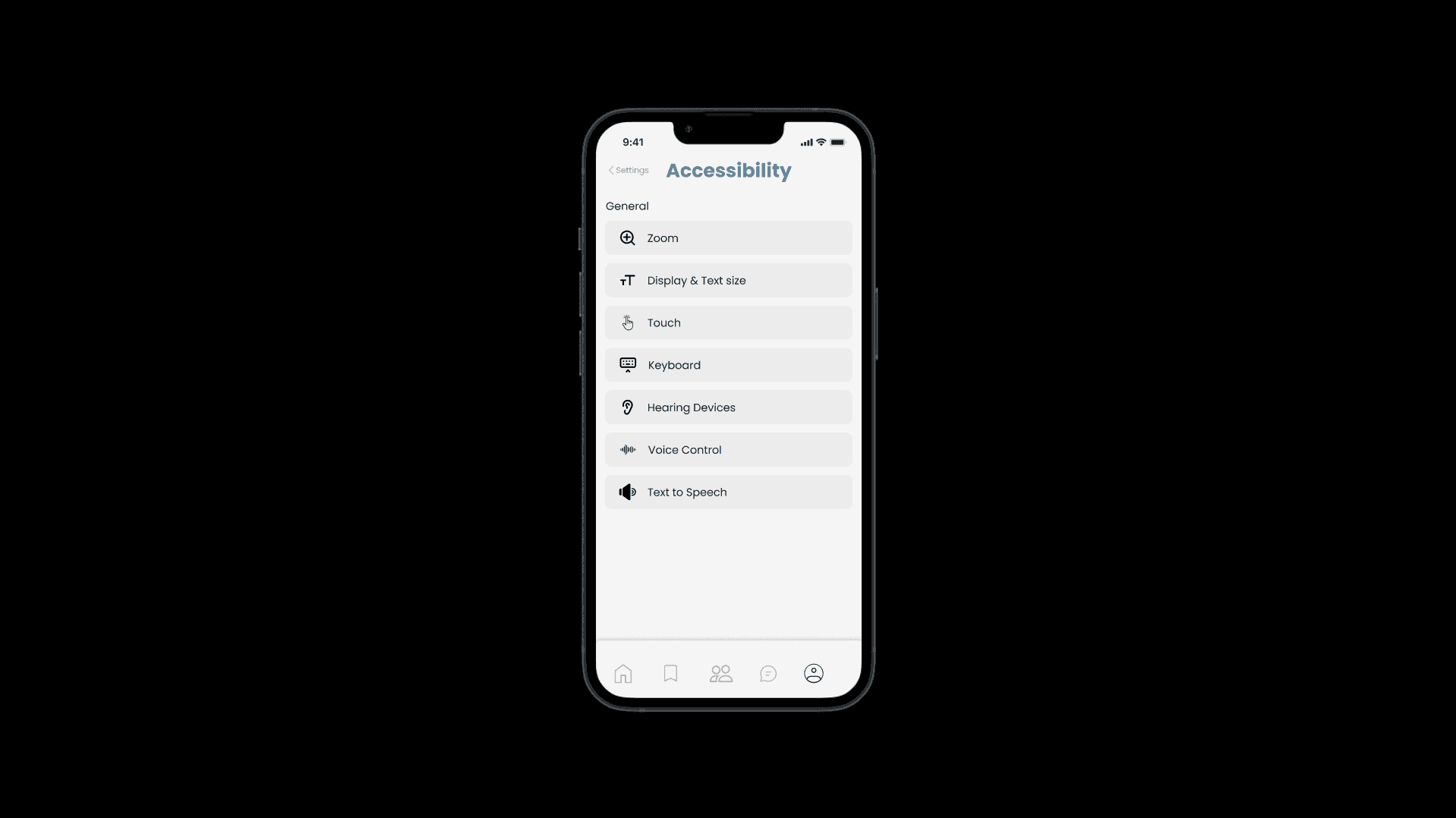
Accessibility is a major pillar in our initial concept for Open Door, as a result we built a plethora of settings that can be customized to fit the needs of the different users who use the application. All these settings aim to assist those with cognitive, visual, hearing impaired and motor disabilities.
Some of the features include:
Universally recognizable icons for buttons
Diverse photographic images representing various backgrounds and abilities
Sign language videos for accessibility
Audio description (alt text) for visuals
Voice-to-text features
Captions for audio
Colour blind support
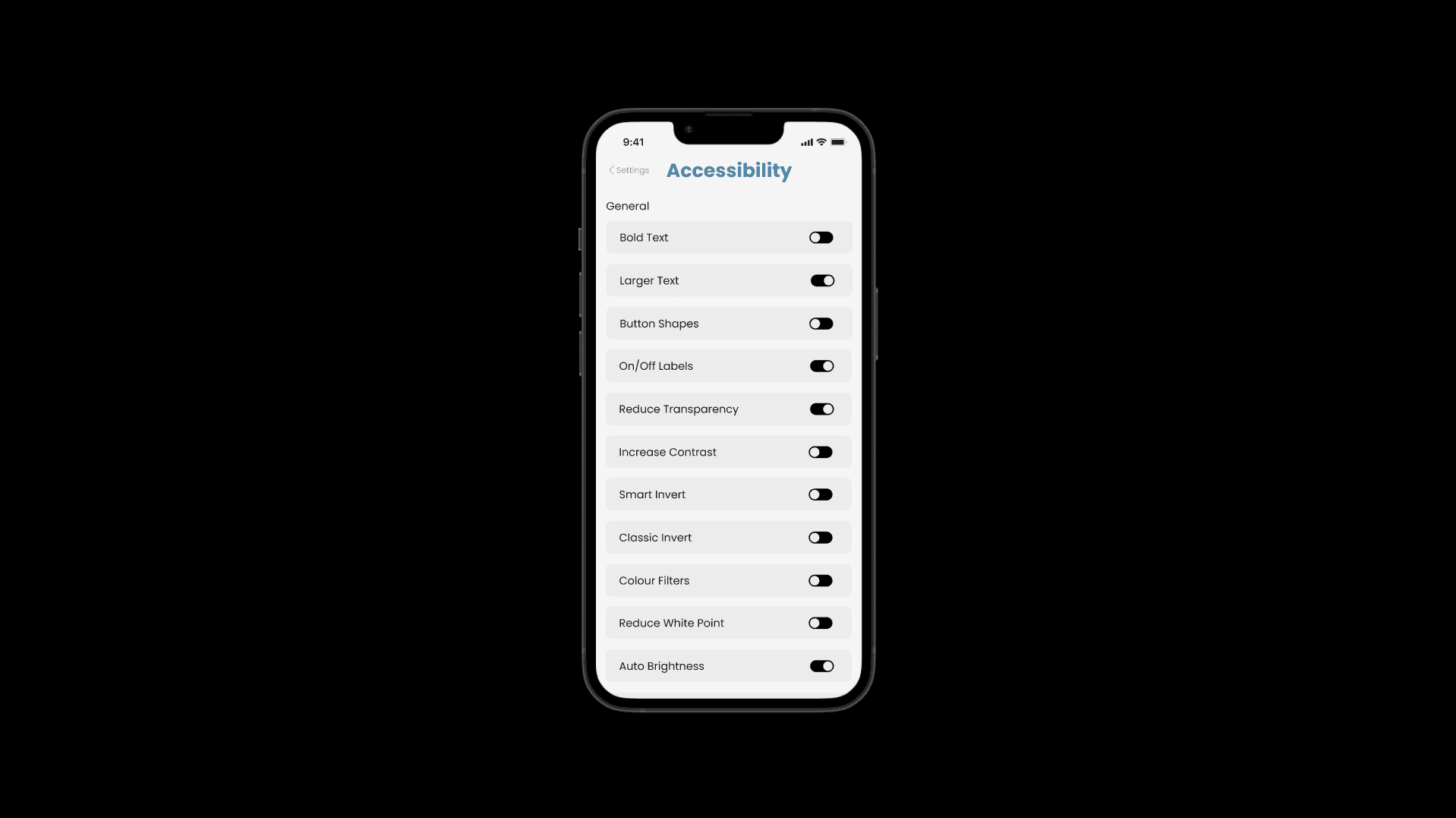
Typography and contrast settings for readability
Solution
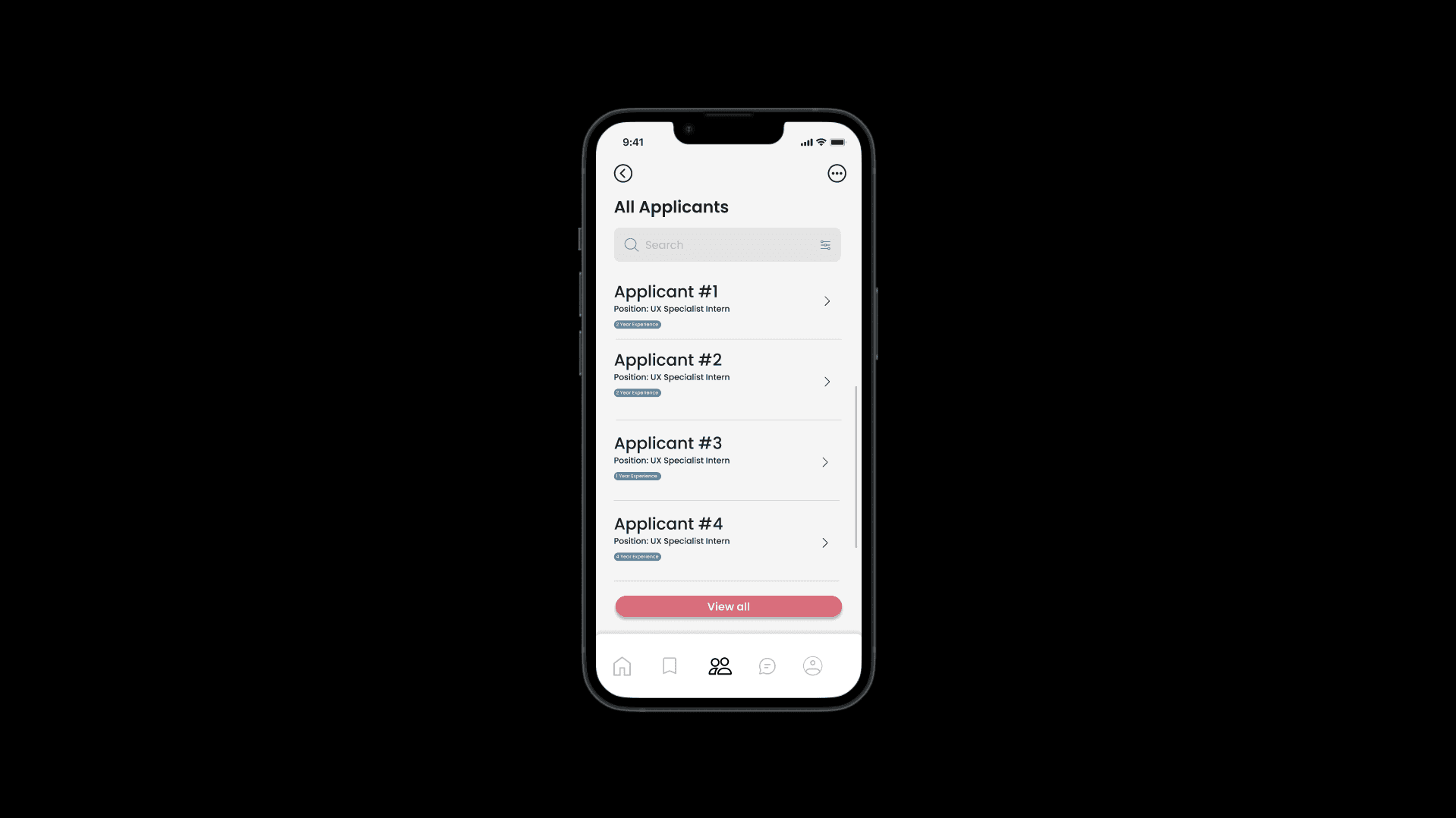
Open Door is completely anonymous in the initial phase of a job application. To be more specific, our solution to help alleviate racial and accent discrimination is when you send in your application, your personal information is hidden except for skills. This way in pushing our goal to focus job hunting on skills rather than a person's background, hiring managers won't know who's applying up until or during interviews. All hiring managers see on Open Door is your skills and qualifications when you apply for a job with them. In our design, we wanted to be extremely mindful and eliminate these implicit biases hiring managers may have such as ignoring applicants based on name, gender, race, etc.
As a result, I believe that Open Door was a project service, its impact has lots of potential to help people who deal with discrimination when just simply looking for a job.
What Did I Learn?
I learned a lot while working on this project with my team. Working on a project like this really helps myself further see how important presentation and accessibility features are, and how important they are together.
Throughout the case study a big focus is being accessible and easy to use, and while it seems simple in concept, as you add more and more features, it’s very easy to become messy and overwhelming, and have that feature you just made become just another feature that’s hard to find. In this project I learned a lot about setting organization but also how important labeling can be for a setting. In a lot of software, settings have a name and like me sometimes I need to google what that setting name is before I turn it on or off. So, in Open Door we opted to just tell you what the setting does, such as “auto brightness” or “on/off labels”. While it's small in theory, it makes a lot of difference when you don’t have to google what everything does!