My Team
Marc, Niek, Megan, Emma, Salil, Gulsheen Saira, Madeline
My Role
Project Co-Lead UI Designer User Researcher Stakeholder Manager
Project Timeline
September 2024 - April 2025
Waterloo Forms Revamp
Overview/ TL: DR
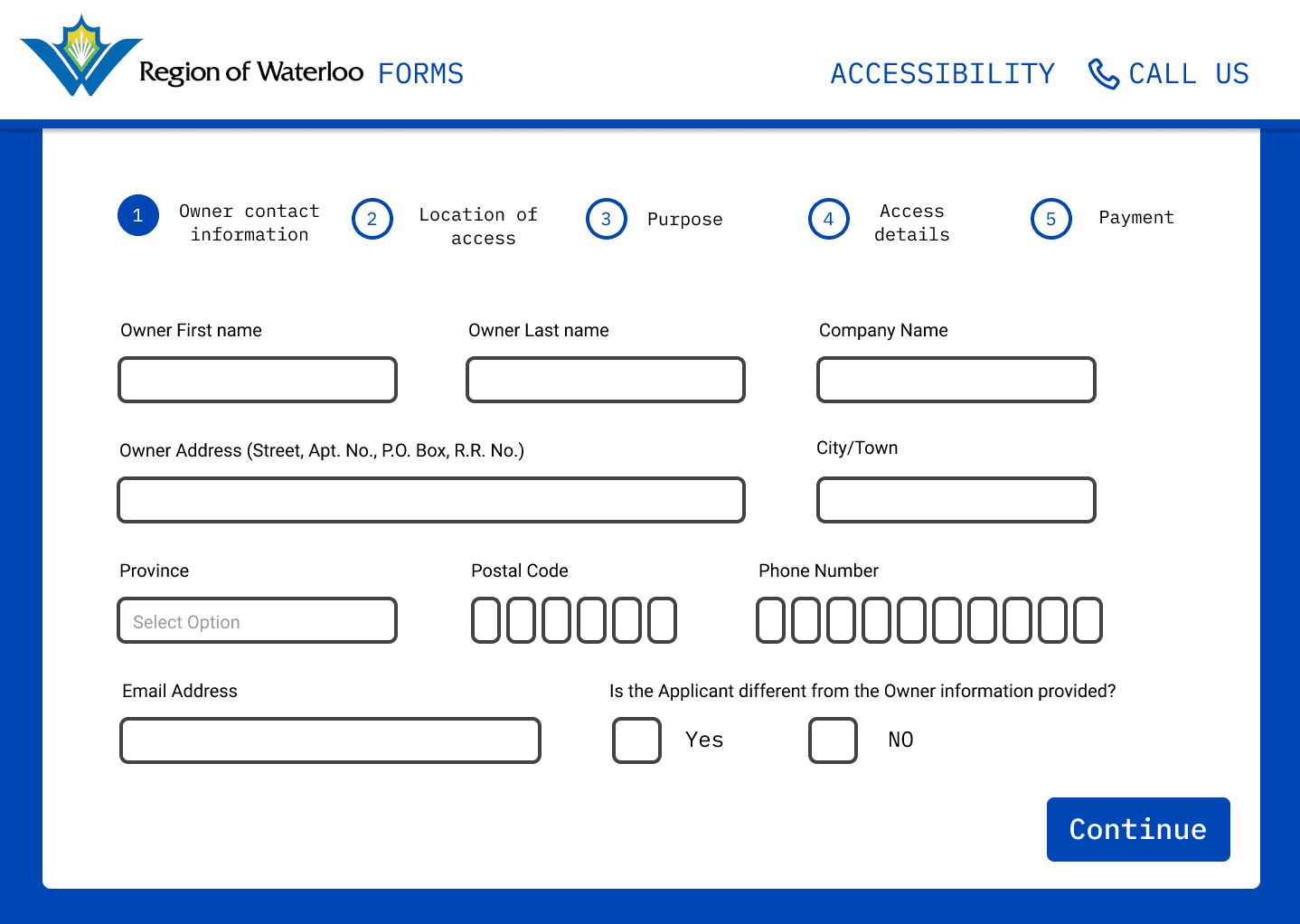
Me and my team had an amazing opportunity to work with the Region of Waterloo in assisting them in redesigning their forms experience which our teams work will be included in their 2026 website overhaul. We created one unified template that all forms on the Region of Waterloo site can now take place on, and be more accessible for both desktop users and mobile users and easier to digest. Our process began by analyzing the current region of Waterloo forms and identifying design problems. We then identified our target users and conducted several rounds of research alongside them throughout the process of our project to ensure a user-friendly experience.
The Problem
The current forms on the Waterloo site lack consistency. The forms are all in different formats, including PDFs and external websites, leading to an inconsistent user experience. Although the Region of Waterloo website does currently have a well-developed, user-friendly plugin which offers great accessibility features and translation capabilities, the forms hosted on external platforms do not benefit from these features. We have identified our key issues as:
Inaccessibility of forms
Inconsistency between forms
Inital Research
Our team throughout the project, used a mixed-methods approach to gather qualitative and quantitative data to inform our design decisions. The research methods were chosen to understand user needs and pain points related to the Region of Waterloo’s current online forms. Early on we focused more on quantitative data as it could help us pick up on trends but also where we could and need to focus our attention throughout the project.
Surveys
Early on we launched an online survey distributed through local Facebook groups and the Region’s newsletter to reach a wide range of users across the Waterloo Region. The survey was created to be simple and respectful of the participants time, and was intended to to identify quantitative data such as:
Demographics
Age range of respondents
Types of forms users had filled out
e.g., permits, reporting, applications
Accessibility barriers experienced
e.g., visual, motor, cognitive challenges
Additionally, we added a finally entirely optional section of our survey for our next phase of the project where participants could volunteer to be interviewed and tell us more about their experience.
Interviews
The interviews our team conducted were semi-structured with participants who volunteered through the survey. These 15–20-minute interviews allowed us to dive deeper into specific experiences and gain nuanced insights into user frustrations and expectations. A loose script was followed to guide conversations while allowing flexibility for unique stories and responses.
Interview topics included:
General experience with form-filling
Accessibility concerns
Preferences for form layout, instructions, and structure
Ideal form experiences
From this we learned a lot about specific experiences our participants have had, both good and bad, and it was extremely helpful in creating our first prototype. Some of the insights we learned were the following:
Mobile Experience: In our interviews with participants, a significant portion of them emphasized the importance of a mobile-optimized interface, which the existing experience was sorely missing. Participants highlighted:
A need for reduced scrolling
Larger tap targets
Easily visible buttons
Consistent & Simple Experience: One of the most consistent findings across all research methods was the need for a simple unified form experience. Users expressed frustration with:
A significant portion of the forms took place in their own isolated experience with different or missing features and different layouts. We were frequently told users weren't sure if a specific form was official, and were hesitant to input personal information.
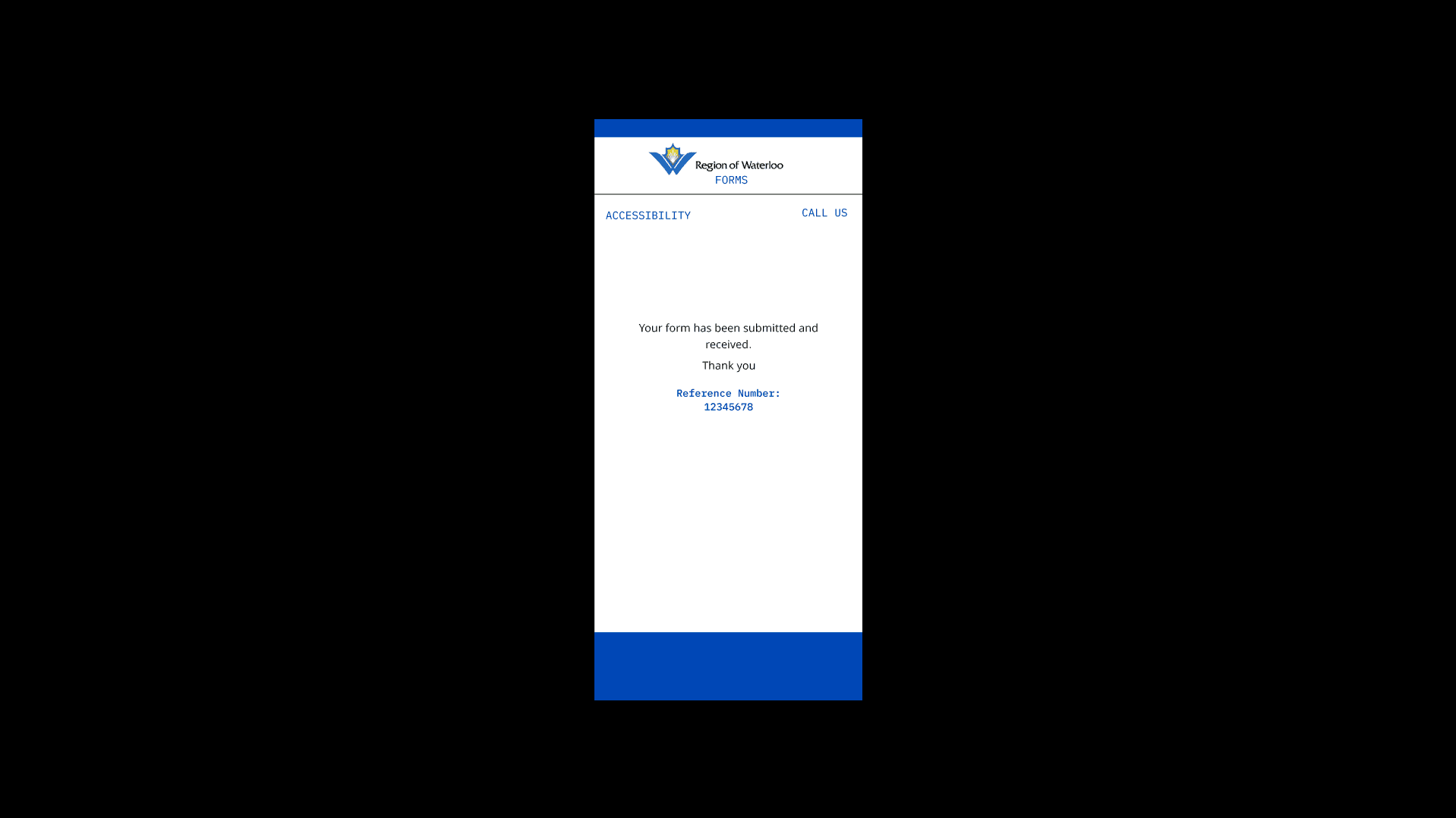
Form Completion Confirmation: We had also learned some concerning experiences where several users shared uncertainty about whether their forms were successfully submitted, and some saying their form did not complete at all.
The participant stated “I hit submit on my permit, but nothing really happened. I wasn’t sure if it worked, I showed up to the event and they never received it."
Design Exploration & Continued Research
Our team identified several opportunities from our interviews that we had goals to address in our prototypes. Some of our design goals are the following:
Simplicity
Some forms have too much going on. We aim to limit the clutter and focus on the essential information, encourage user engagement and reduce abandonment rates. This will be done by simplifying the visual design for intuitive navigation, making the form easier to read and complete. This is critical for mobile devices.
Accessibility
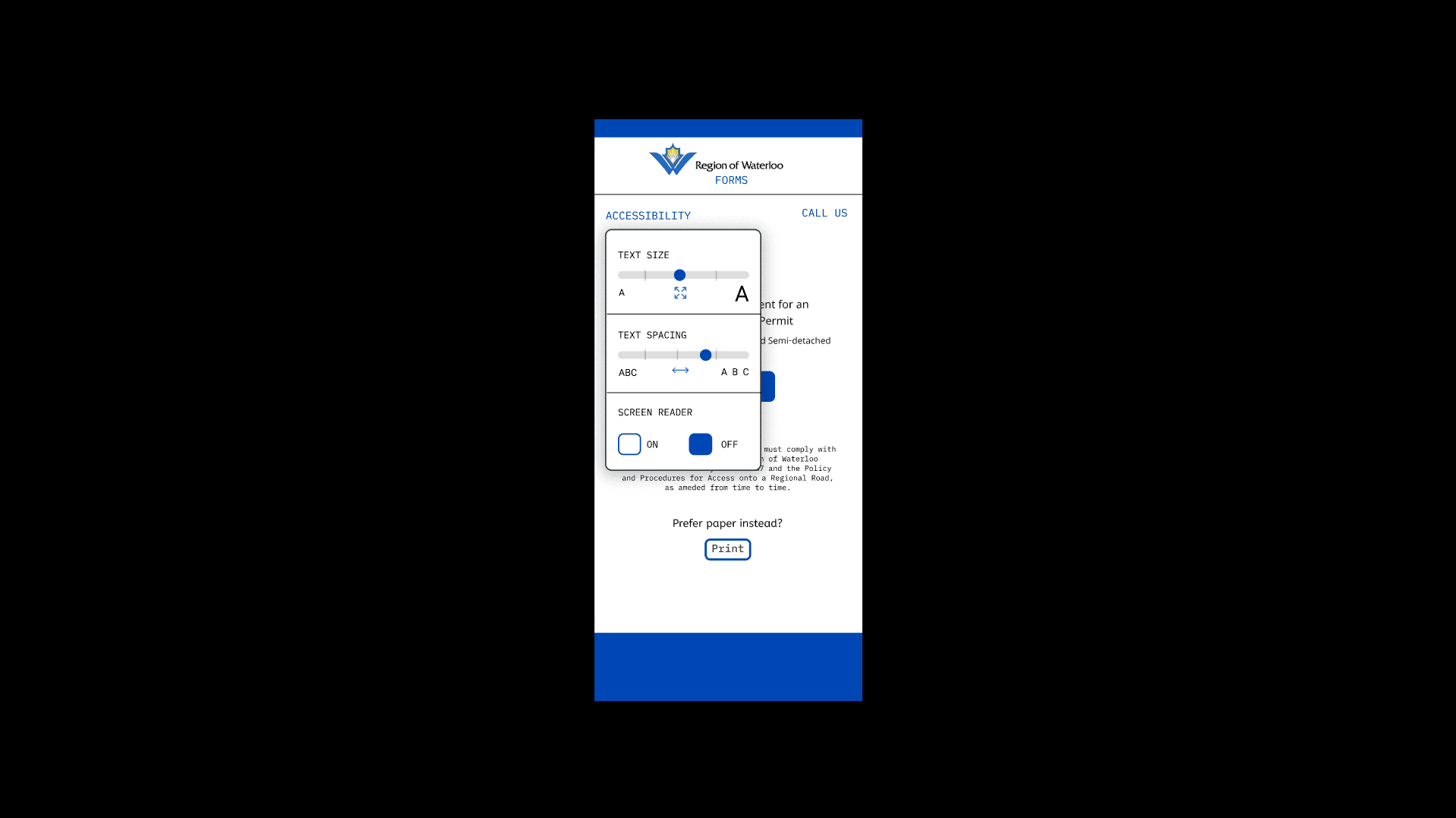
The main Region of Waterloo site has a great accessibility hub with great features that make the site easier to use. We are looking to merge that into the form template and all of its features, including translation and text sizing.
Information Architecture
Some forms can be very long with lots of important details that can be overwhelming for a lot of people, and easy-to-miss details. We aim to make the forms more digestible while still maintaining the vital information users need to complete the form. Additionally, we are looking to utilize the progress bar found on some of the Region of Waterloo’s forms, and use it across ALL forms to help users manage form progress and know what will be required of them.
Consistency
It was very clear based on feedback that the form experience needs to be consistent all around. To address this, we will be making a universal form template that looks and feels the same, with consistent features and interfaces across forms and platforms like mobile and desktop.
Form Completion Feedback
Users are looking for more confirmation after filling out a form. We aim to provide more information to reassure users that their form has been received by the region.
Low-Fidelity Prototype
We started creating our simple low-fidelity prototype concepting ideas we had as potential solutions based on feedback we wanted to test. Specifically, We made the call to base the prototype on two different forms that our data collected from our survey shows the two most commonly used types of forms. The two specific forms our prototype would focus on were:
The outbreak reporting form
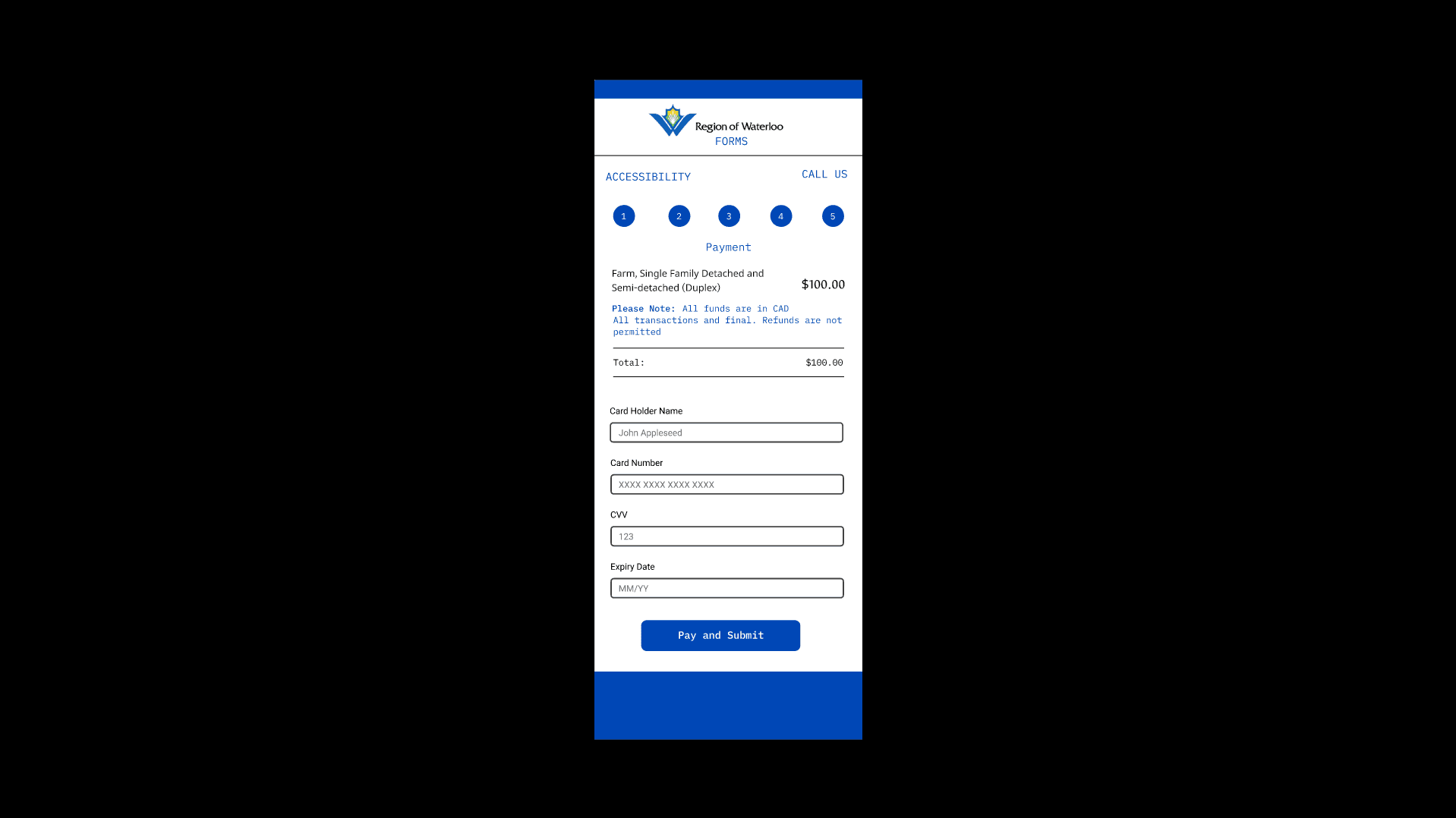
The application and payment for access permit form
While we were concepting the whole form rework, we were also really interested including a revamp to questions inputs and if it makes the experience a bit easier to understand and faster to complete.
We spent some time trying to figure out how we could test this and the best method of testing for this phase would be a modified card sort. In our modified card sort, we decided to give participants cards with the types of form inputs written on them and had them run through the two forms from the existing site mentioned above. They were asked to say which type of input they would use for each question on the form. The types of inputs were the following:
Open-ended text fields
Multi-select options
Dropdowns
Auto-fill fields
Multiple-choice options
Calendar date pickers
Address lookups
While a test like this may seem trivial, we actually learned some interesting insights. Participants preferred auto-fill options and address lookups for location-based questions, dropdowns for lists of options, and open-ended options for responses that require more detailed responses. We also learned that participants preferred forms with clear-cut sections rather than one long form. Many participants mentioned redundancy in both instructions and questions asked. Users also wanted alternative options if the ones provided were not relevant to them (i.e. more “other” options for multiple choice questions).
Mid-Fidelity Prototype
The mid-fidelity prototype was developed as a response to insights gathered from our low-fidelity testing. While still relatively simple in appearance, this version emphasized improved layout, streamlined task flow, and early-stage accessibility alignment with WCAG 2.2.
Key enhancements included:
Structured sectioning of questions for better readability
Auto-fill functionality for address fields
Clear headings and groupings to reduce cognitive load
Dropdowns to replace long multiple-choice lists
Font and contrast improvements for accessibility
We struggled for a little bit on how we can actually test this and get insightful feedback, as we and our stakeholders understood early on that with something like testing form, it poses very unique challenges because of its simplicity in nature.
One of our team members suggested we try a think-aloud and task-based usability test with participants using the. Participants were encouraged to verbalize their thoughts while completing tasks. This gave us insight into decision-making processes, points of confusion, and overall usability challenges. During testing, participants completed the task of filling out the access permit form and were observed for:
Completion time and efficiency
Confusion or hesitation
Overall satisfaction with the prototype
Key Findings:
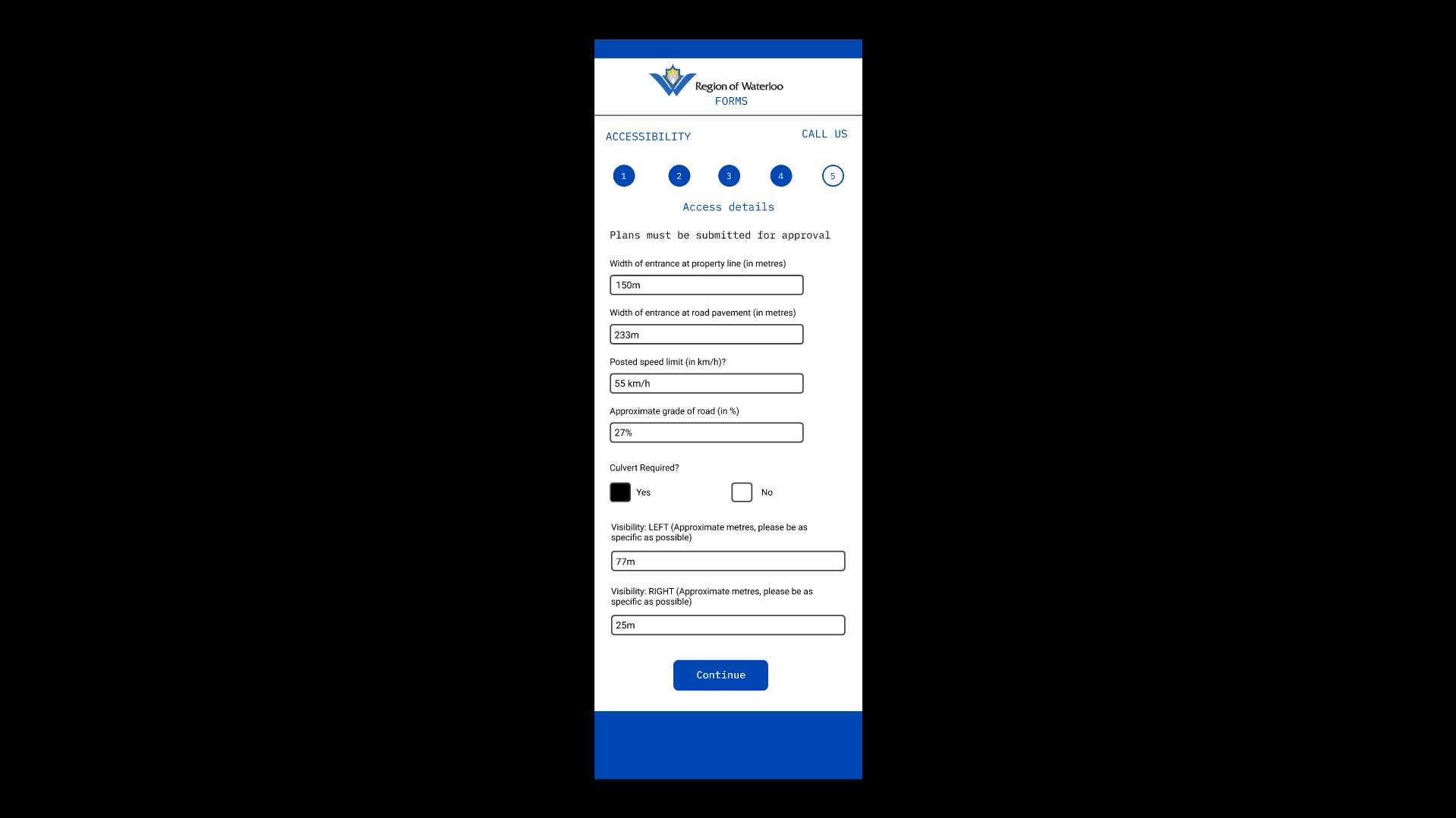
Progress Indicator: Helped users track their place, but multiple steps were highlighted simultaneously, which left users confused.
Improved Input Fields: Users found auto-fill and dropdowns intuitive and helpful.
Layout & Navigation: Clear sectioning made the form easier to use than a single scrollable page.
Accessibility & Readability: Font size was too small for some users; minor grammar inconsistencies disrupted flow.
Visual Tone: Some participants found the design too “serious” and requested a more inviting tone. We suspected this was a result of not having official branding implemented at this phase.
Support Needs: Users requested a direct contact/support icon for assistance.
Based on our findings from the usability test, we got a lot of really encouraging feedback showing we were heading in the right direction, and we also got some great constructive criticism which we believe can make the experience better. Some of these updates we are prioritizing for the next iteration are the following:
Refine the progress bar to only highlight one step at a time
Increase font size and adjust how user can further change font size
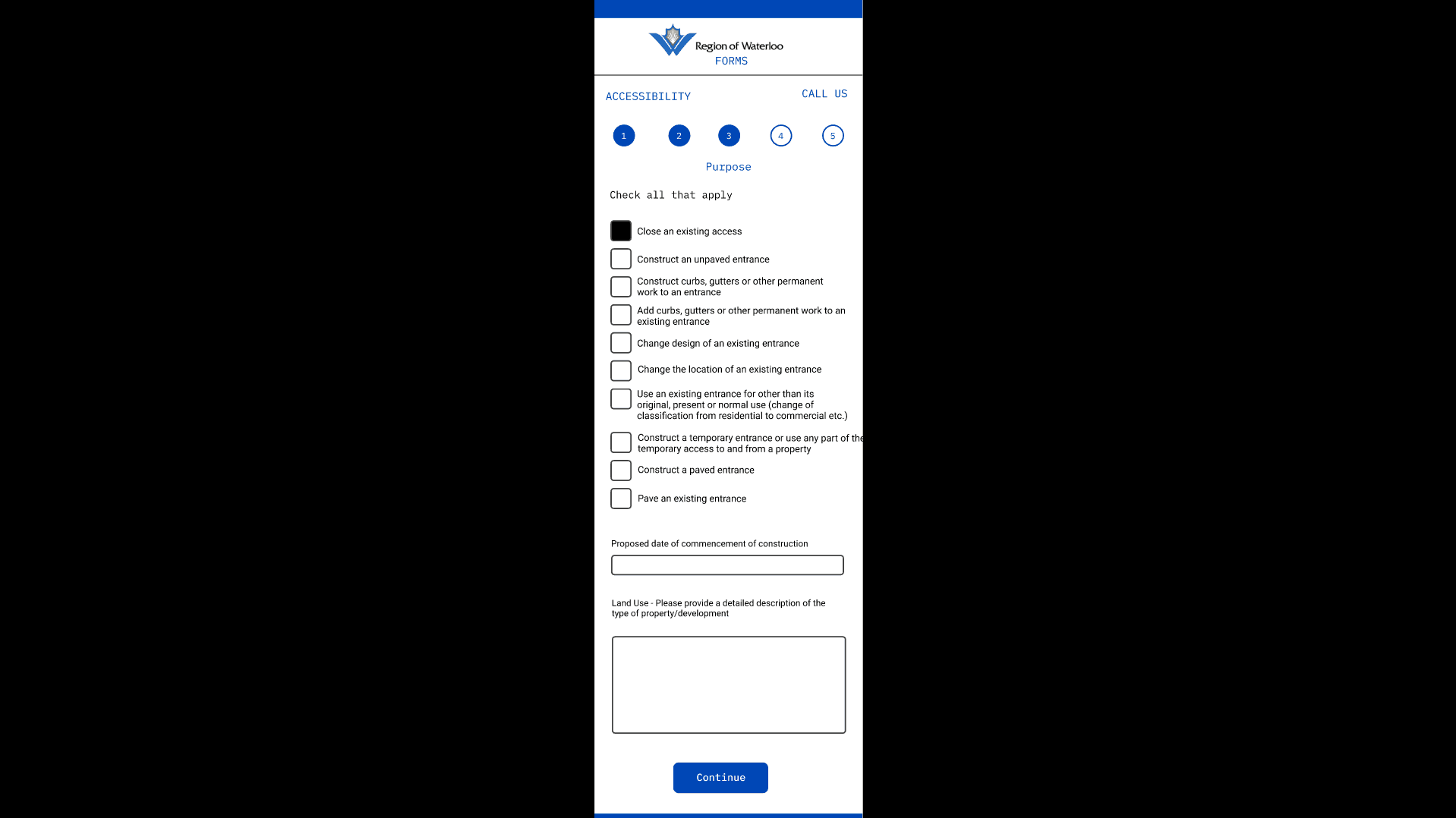
Reorganized checkbox layouts for better visibility
Added “Other” options where applicable
Include a free-text field for additional information
Plan the addition of a contact support icon
Final Prototype and Usability Test
We took a lot of the feedback from the previous test and made adjustments where possible and necessary. Adjustments mainly focused on organization and clarity of features and their presentation as well as some additions to general experience. The goal is still to have this experience be as simple and easy to digest as possible, and we believe we found a good middle ground with simplicity and having necessary features that guide users and support accessibility needs. We also met with stakeholders regarding visual design and branding, and we followed their guidelines on logo use, colours, and some general UI, to make the prototype feel like its part of the general site and future proof in the upcoming Region of Waterloo overhaul.
Final Usability Test
For our final usability test, we conducted A/B testing with the existing forms on the Region of Waterloo’s website, specifically the Permit form, and our redesigned prototype. Participants completed both versions on a computer and a mobile device, thinking out loud as they worked through the forms. We timed each task and gathered feedback on ease of use, clarity, accessibility, and overall experience.
What Worked Well
Cleaner, More Focused Layout
Users liked the simpler, distraction-free design of the new form.
The progress bar had positive feedback, giving users a clear idea of how much was left to complete on the form.
Better Organization and Readability
Grouping related questions together made the form easier to follow.
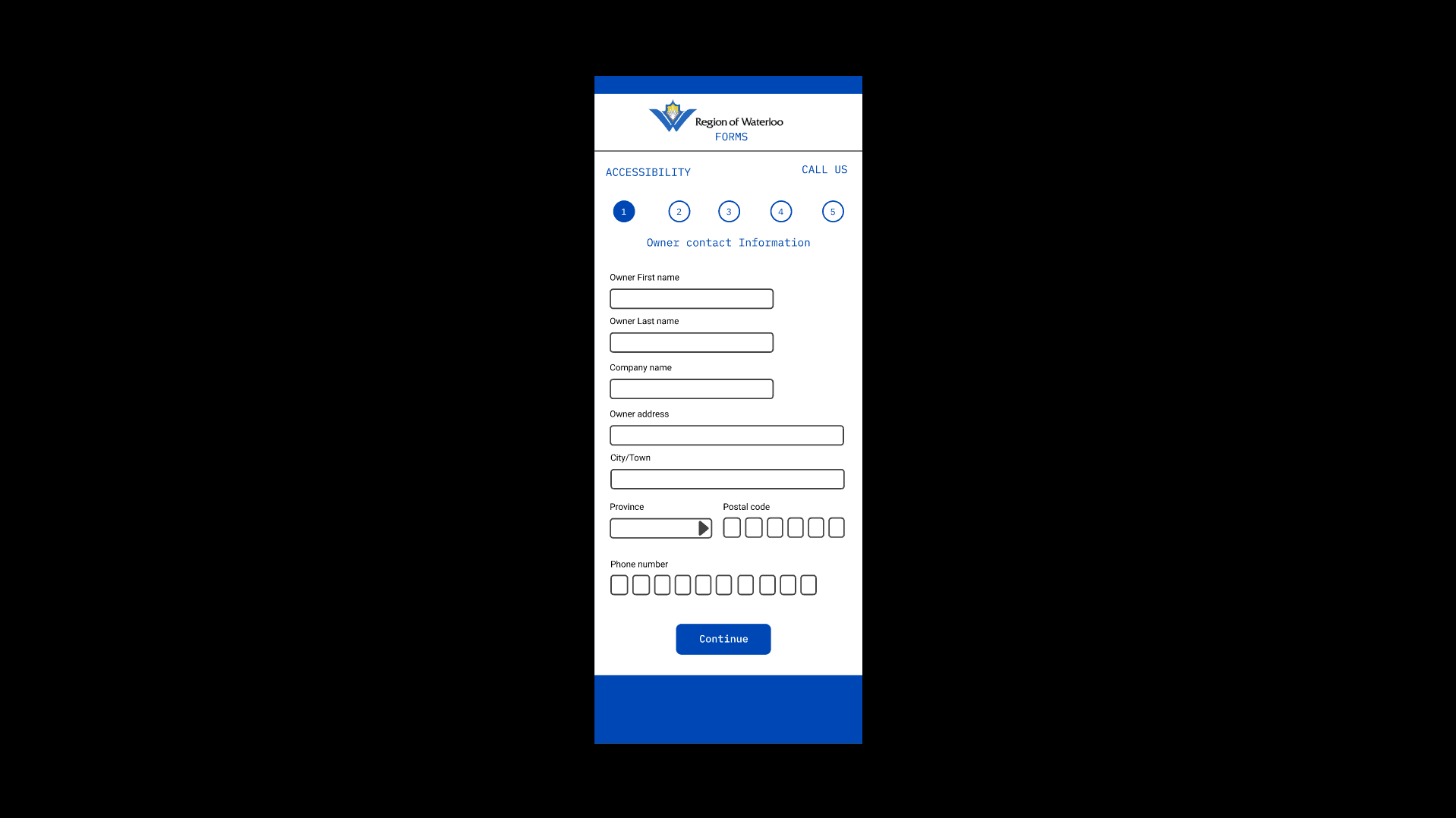
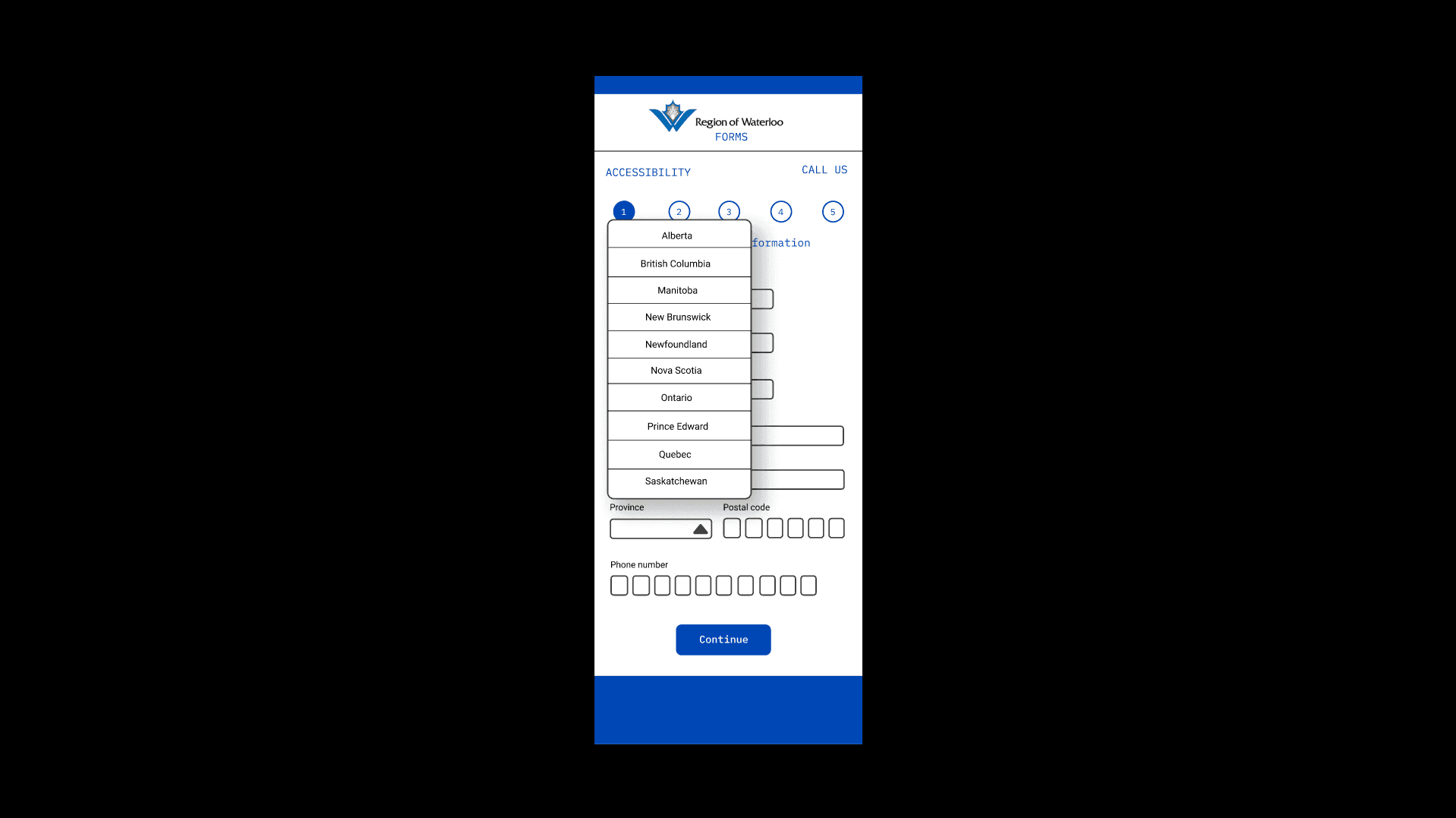
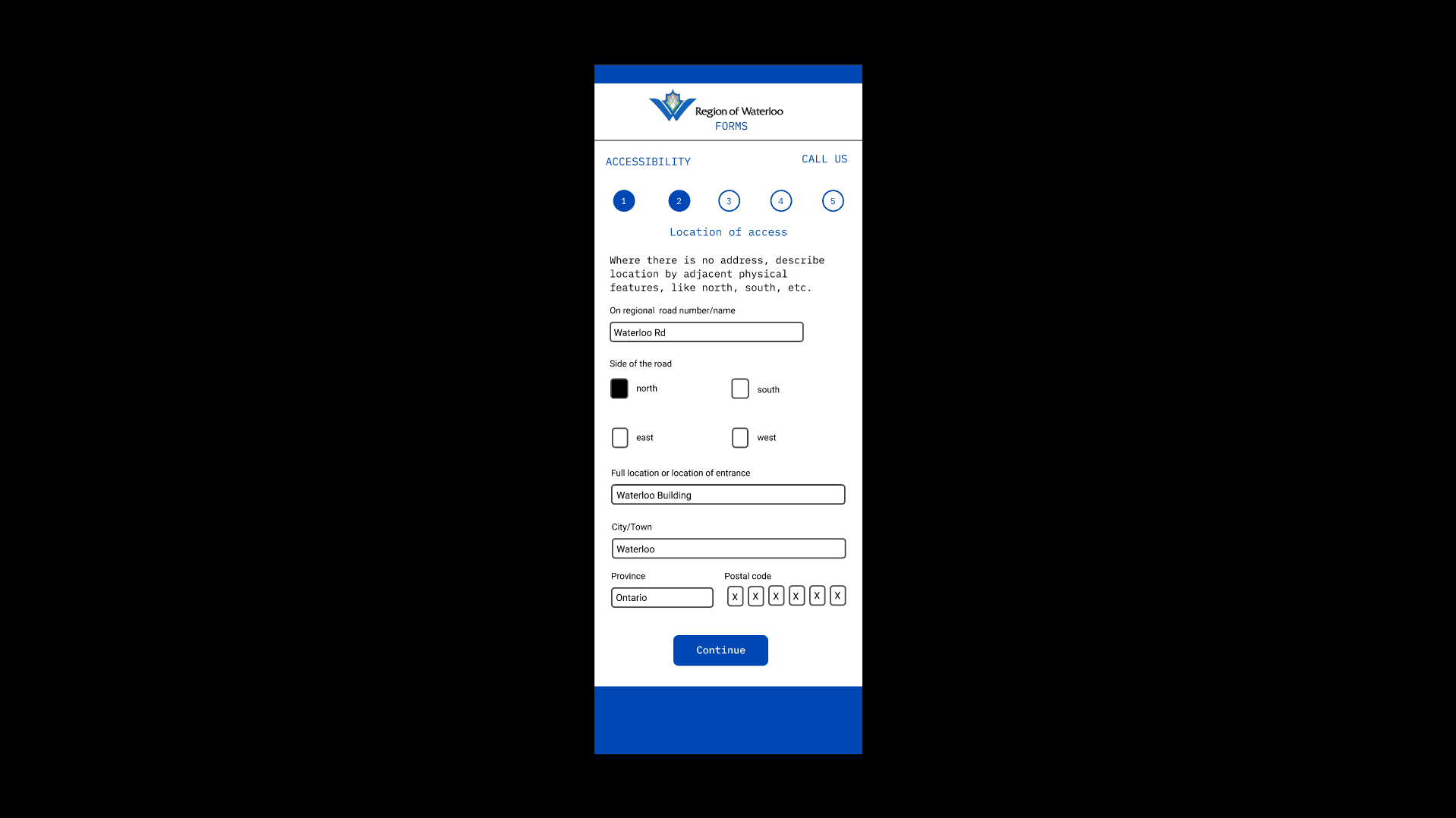
Larger text boxes and structured input fields (like formatted postal code entry) improved usability.
Dropdown menus for topics like provinces helped prevent spelling errors and made data entry faster.
Smoother Mobile Experience
Sectioning the form reduced the need for endless scrolling.
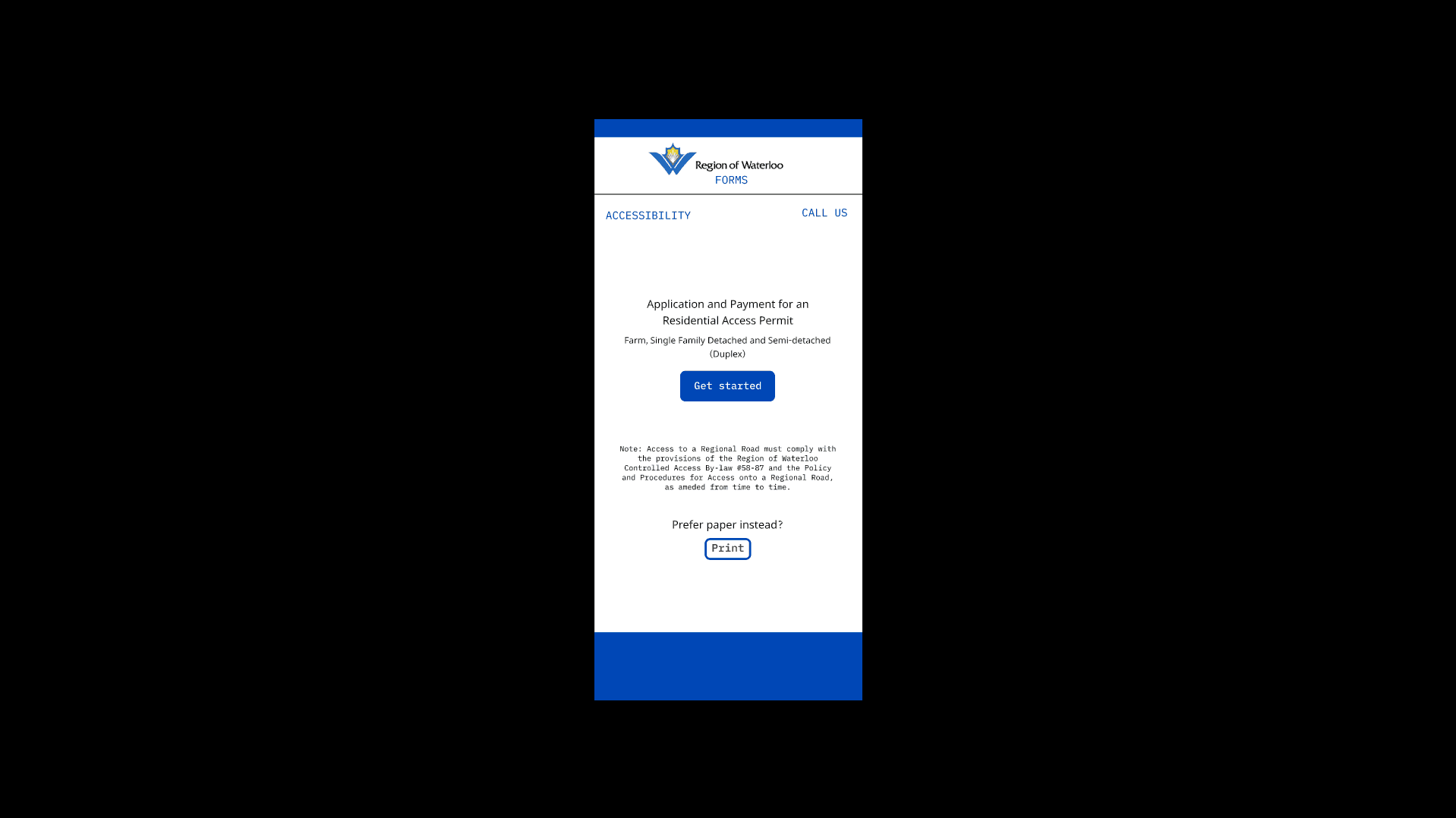
A clear starting page gave users an overview of what to expect.
The “Call Us” button and persistent help options were well-received as accessibility enhancements.
Faster Completion Time
On average, users completed the forms 2-3 minutes faster than the original.
The structured layout made the process feel quicker and more manageable.
Areas for Improvement
Text Size Adjustments
The font on the “Get Started” page was a bit small for some users and could be made larger for better accessibility.
Refining Input Field Design
Small tweaks like the borders of the postal code boxes were a little thick for some users, making it hard on the eyes.
Minor Fixes and Navigation Enhancements
The “Next” Button on the mobile form could be more prominent to improve navigation flow.
Overall, our final usability test confirmed that the new form design improved clarity, efficiency, and user experience. The progress bar, sectioned layout, and accessibility buttons made filling out the form smoother and less frustrating
What Did I Learn?
I learned an unbelievable amount of things throughout this whole project for various different roles that are needed to see a project to completion. I learned just how important testing is. As designers we work on the project so long we just know the ins and outs since we were the ones designing the product. With user tests, so many times we would get feedback about various things that seem small but make big impacts like the progress bar and how it looks, or updating how we present accessibility features. I was also put in a position in this project where I was one of the people working and frequently communicating with our stakeholders. It was a bit daunting initially but we had a great system where both parties were in constant communication with each other, and it was a great experience for myself to build off in the future with new projects.